
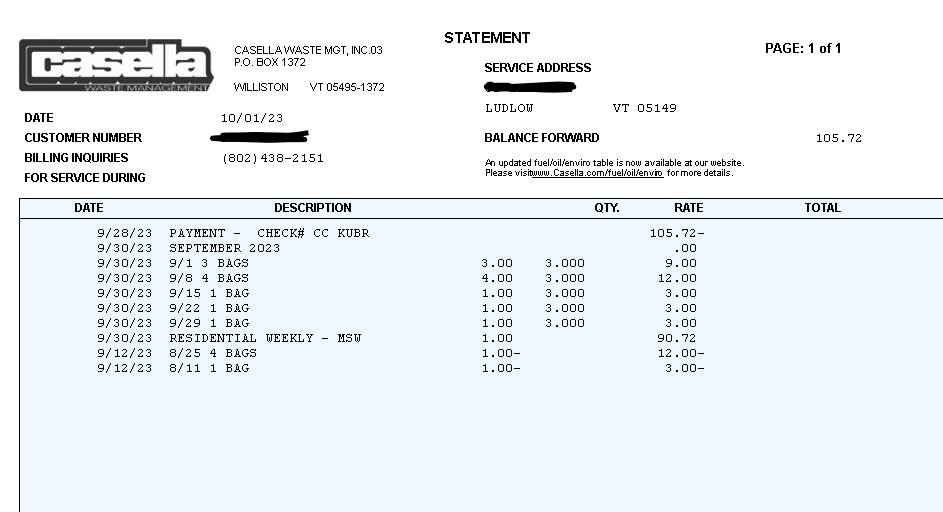
Casella Waste Systems lets you pay your trash and recycling bill online through its My Account portal, via a KUBRA one‑time payment page, by phone, or by mail—and Twin Bridges Waste & Recycling customers are being folded into the same Casella‑run billing platform following Casella’s 2023 acquisition.
Online Bill Pay with Casella
1. My Casella “My Account” Portal
For most Casella residential and commercial customers, the main way to pay online is the My Casella portal:
- Go to the Billing & Payment section: https://mycasella.idoxs.net/billing-and-payment or through the “Pay My Bill” link on casella.com.
- Log in or create an account using details from your bill. You’ll generally need:
- Account number
- Invoice number
- Email and a password for future logins
Once registered, you can:
- Make one‑time payments directly to Casella with no added portal fees
- Set up AutoPay (automatic monthly payments) from a bank account or credit/debit card
- View current and past invoices, balances, and due dates
- Choose paperless billing and email reminders
This is the best option if you want ongoing access to your account, history, and AutoPay.
2. KUBRA EZ‑PAY One‑Time Payment (Quick Pay)
If you want a fast, one‑time payment without creating a full login, Casella offers KUBRA EZ‑PAY:
- Use the One Time Payment page: **https://mycasella.idoxs.net/billing-and-payment/pay-by-credit**.
- You’ll typically enter your account number, possibly service zip code or invoice details, then pay via:
- Credit/debit card (Visa, Mastercard, Discover)
- Sometimes eCheck/ACH, depending on your area
KUBRA is Casella’s official payment partner; it may support alternative methods like digital wallets in some regions, and may charge a small convenience fee for card payments.
3. Legacy Soft‑Pak Portal (Some Regions)
In a few markets Casella still references the older Soft‑Pak web portal:
- URL: https://secure.soft-pak.com/webpakw7/signin.jsp
- This is used by some regional hauling operations that haven’t fully migrated to the KUBRA/MyCasella system.
- If your bill mentions Soft‑Pak/WebPak, follow those instructions instead of the new links.
If you’re unsure, start at Casella’s Payment Map (https://www.casella.com/payment-map) or Your Home page and click through from your local provider to the correct portal.
Phone, Mail, and Third‑Party Bill Pay
Phone payments
- Casella’s national customer care number for billing questions is often listed as 888‑485‑1469.
- Many local Casella/Twin Bridges numbers are also printed on your invoice.
- Phone agents can usually take card or bank payments and help you set up AutoPay or troubleshoot online access.
Mail payments
- Mail a check or money order to the remit address printed on your statement, which varies by location.
- Always write your Casella account number on the check and include any payment coupon that came with your bill.
Example guidance from Casella bill‑pay help sites notes that remittance addresses and PO boxes differ between hauling divisions, so always follow the address on your own bill.
Third‑party bill‑pay (doxo and others)
- Services like doxo allow Casella and Twin Bridges customers to pay using bank account, credit card, debit card, or Apple Pay, and to set up reminders and recurring payments in one app.
- However, doxo is not an official Casella portal and may charge extra service fees, plus payments can take longer to post.
- Casella encourages customers to use My Account, KUBRA EZ‑PAY, phone, or mail directly rather than third‑party bill‑pay tools.
Twin Bridges Waste & Recycling: How It Fits In
Casella completed a $219 million acquisition of Consolidated Waste Services LLC, doing business as Twin Bridges Waste & Recycling, in September 2023. Twin Bridges now operates as “a division of Casella Waste Services”, and Casella has been integrating billing and online payment systems in the greater Albany, New York region.
What this means for Twin Bridges customers:
- You may start seeing Casella branding on bills, notices, and websites.
- Your online bill‑pay may be migrated to the Casella My Account/KUBRA portal, especially if your bill or a Casella “Payment Portal Upgrade” notice directs you there.
- Until migration is complete, some Twin Bridges customers still pay through Twin Bridges‑branded sites or doxo, which support card, bank, and Apple Pay payments and recurring scheduling.
To be sure:
- Look at your latest Twin Bridges / Casella bill.
- Use the exact website and remit address printed on the statement.
- If it references Casella’s My Account or KUBRA EZ‑PAY, follow those instructions.
If you’re confused by the transition, call the customer service number on your bill (often now answered by Casella) and ask which online payment portal is correct for your account.
Key Payment Features and Methods
Across Casella’s main portals:
- AutoPay:
- Accepted payment methods:
- Visa, Mastercard, Discover for both one‑time and recurring payments
- Bank ACH/e‑check from checking or savings (often fee‑free) when using My Account rather than KUBRA card‑only quick pay
- Fees:
- Payments directly in My Account from a bank account are usually free.
- KUBRA EZ‑PAY may add a convenience fee for credit/debit card payments, depending on the region.
FAQs
How do I pay my Casella Waste bill online?
To pay your Casella Waste bill online, go to the My Casella Billing & Payment page at mycasella.idoxs.net and either:
- Log into My Account (best for AutoPay, history, and paperless billing), or
- Click the One Time Payment link to use KUBRA EZ‑PAY with your account number and card or bank info.
Both are official Casella‑run options; choose My Account for ongoing management and KUBRA if you just need a quick one‑time payment.
What does Casella Waste do?
Casella Waste Systems is a regional solid waste, recycling, and resource management company that provides:
- Residential garbage and recycling pickup
- Commercial and industrial waste services
- Dumpster rentals and roll‑off containers
- Transfer stations and materials recovery facilities (MRFs) for recycling
- Special waste services for construction, clean‑outs, and other projects
Acquisitions like Twin Bridges Waste & Recycling and Taylor Garbage have expanded Casella’s coverage in New York and surrounding areas.
Why should I sign up for a Casella account?
Signing up for a My Casella account gives you several advantages:
- No‑fee payments directly from your bank account or card
- Ability to turn on AutoPay and paperless billing, so you don’t miss bills or pickup changes
- Access to current and past invoices, balances, and payment history
- Centralized management if you have multiple properties or accounts
If you’re a Twin Bridges customer being migrated into Casella’s system, creating a My Casella login also makes it easier to manage your account after the transition.
Do I need to make a recurring payment on my Casella bill?
No. Recurring payments are optional:
- You can choose one‑time payments through My Account or KUBRA each billing cycle.
- Or you can enable AutoPay from your bank account or card if you prefer “set it and forget it” billing and want to reduce the risk of late payments.
Many customers set up AutoPay plus email or text reminders, but you can change or cancel recurring payments anytime in the portal settings or by calling customer service.