
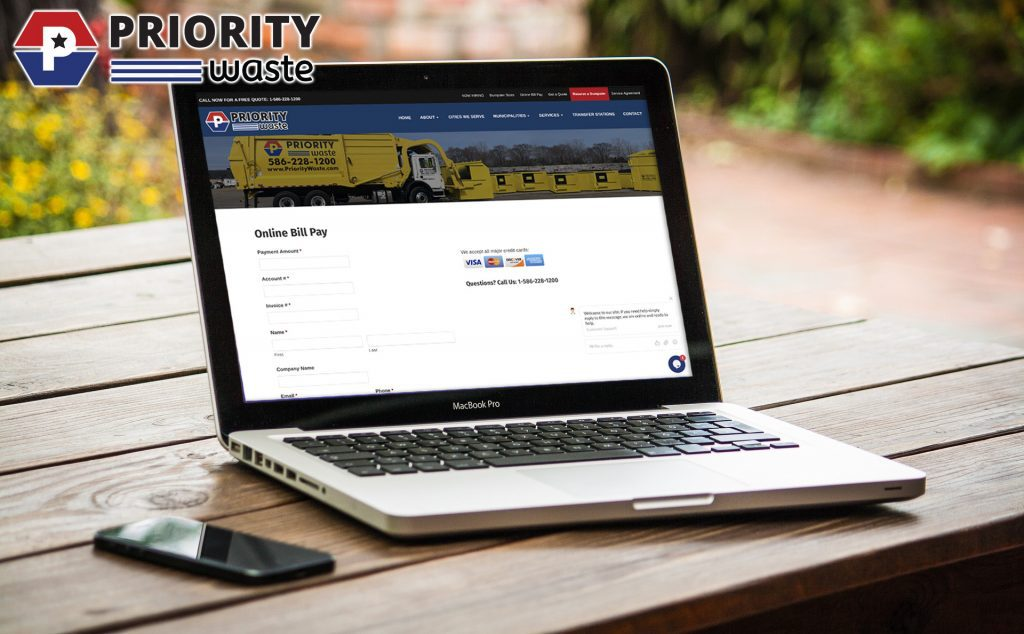
You can pay your Priority Waste bill online through the customer portal, a no‑login Quick Pay page, dedicated credit‑card and ACH links, or third‑party apps like doxo and Deferit.
Main Priority Waste Online Payment Options
1. Customer Portal (recommended)
- Go to the Priority Waste Customer Portal: https://prioritywaste-portal.amcsplatform.com/.
- Register or sign in to:
- View current and past invoices
- Make one‑time payments
- Set up recurring Auto Pay
- Turn on paperless billing
This is the best option if you want full account management and automatic payments.
2. Quick Pay (no login required)
- Use the Online Bill Pay page: https://www.prioritywaste.com/online-bill-pay/.
- Choose the appropriate link and enter:
- Your Priority Waste account number
- The payment amount
- Great for fast one‑off payments if you don’t want to create an account.
Card vs. ACH: Where to Pay and Fees
Credit/debit card portal
- Link: https://www.prioritywaste.com/online-bill-pay/credit-card/.
- Pay with Visa, Mastercard, Discover, etc.
- A 3.1% convenience fee applies to card payments.
ACH (electronic check) portal
- Link: https://www.prioritywaste.com/online-bill-pay/ach/.
- Pay directly from your checking or savings account.
- Typically no percentage card fee, making this cheaper for larger bills.
You can also access both options from the main Online Bill Pay page and from within the customer portal.
Ways to Save and Manage Your Bill
Auto Pay and paperless billing
- Priority Waste encourages customers to enroll in Auto Pay + e‑billing to:
- Avoid administrative charges in some contracts
- Ensure payments are always on time
- You can set up Auto Pay for ACH (best for avoiding fees) or for credit/debit via the portal.
Municipal discounts
- Certain cities and townships offer discounts if you enroll in automatic payments or prepay:
- Examples include Waterford Township and Rochester Hills, MI, where residents may get 3–5% off for Auto Pay enrollment or annual prepay.
- Check your municipality page on Priority Waste’s site or your local contract terms for eligibility.
Third‑Party Platforms (doxo, Deferit)
doxo
- Priority Waste is listed as a doxoDIRECT biller: https://www.doxo.com/u/biller/priority-waste-llc-7A4A33F.
- You can pay using:
- Bank account (ACH) – often free through doxo
- Credit/debit card or Apple Pay (fees may apply)
- doxo adds convenient reminders and multi‑biller management, but it’s not Priority’s own system, so check for any extra fees or posting delays.
Deferit
- Deferit allows you to split your Priority Waste bill into four interest‑free installments.
- You upload your bill to Deferit; they pay the biller and you repay Deferit over four smaller payments (fees may apply for some features).
- This can help with cash‑flow smoothing, but it adds a third party between you and Priority.
Quick FAQs: Priority Waste Online Bill Pay
How do I make a quick one‑time payment to Priority Waste?
Use the Online Bill Pay page, choose Credit Card or ACH, and enter your account number and payment amount to complete a one‑time payment without logging into the portal.
What’s the cheapest way to pay online?
Paying via the ACH portal or through your bank account in the customer portal avoids the 3.1% card fee that applies to credit/debit payments.
Why should I use the Priority Waste customer portal?
The portal gives you full account visibility, lets you set Auto Pay and paperless billing, and helps you qualify for Auto Pay / prepay discounts in some municipalities.